Showing posts with label DFI Take 2. Show all posts

Tuesday, September 15, 2020

DFI Day 9 - Last Day!


 Well hello everyone,

Today was the last day of the Digital Fluency Intensive.  It's been quite a journey, but one that I have appreciated and enjoyed.  I feel I have learnt a rather lot of information and skills, that I am sure over time will begin to manifest themselves in my teaching and learning.  Some of which already have - just check out this blog, and my site!

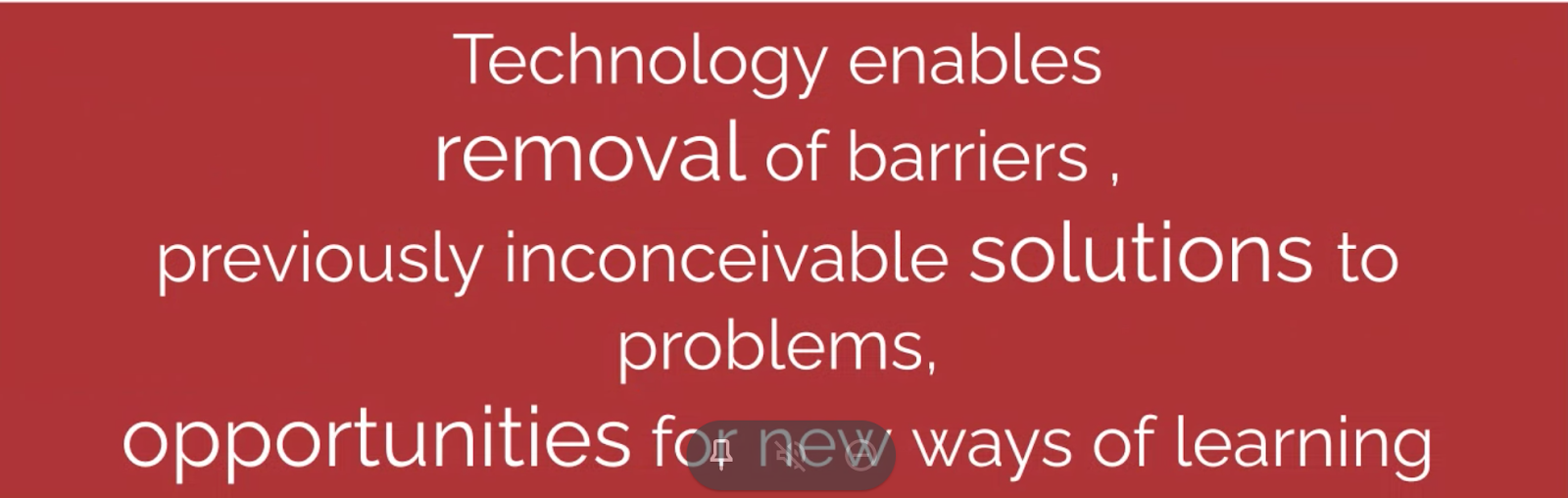
So anyway, today we had our last Google Meet with Dorothy on Ubiquitous learning - or in layman's terms - learn anywhere, anytime, any pace - and from anyone.  This of course is referring to our digital technology platforms.  Big takeaway today - affordances to technology have allowed learning experiences that many students could not have had in the past.
And today of course was our final exam, yes that's right kids, even teachers have to sit exams!  I am in two minds around my performance.  The tasks I completed I am confident that I did a good job, however I did run out of time - classic Mel - a bit of a procrastinator and perfectionist.  Whatever the outcome or result I am grateful for completing the course and upskilling myself to benefit my teaching.

Things that I am proud of:  my updated site which looks way better and the kids like it, ideas using forms (pick a path stories) to take forward next term, and I finally got to do an animation.  What would I do better next time: probably take a photo of the random user name and log in that the exam people set up for me...  What am I going to take forward: a heck of a lot really! I especially enjoy sharing my learning with my colleagues and am far more confident to try things out digitally with my students.  Looking forward to planning in Term 4 for the Korimako students.

Thanks DFI, it's been a blast.  Melanie out.


Tuesday, September 1, 2020

DFI Day 7 - Devices

Kia ora everyone, happy first day of Spring!
Today we began with a Google Meet highlighting - Being Cybersmart in a Learn Create Share World with Fiona.  We learnt that the kaupapa comes from Manaiakalani goals to teach and empower our students to navigate as digital citizens.  As teachers we need to model positive language and behaviour in the digital world for our students to be smart and secure.
Do our students really know about the reality of being online?
Cybersmart should be a whole school focus, planned and deliberate teaching, relevant and real scenarios embedded into an existing educational programme, or in response to student needs.
The Kawa of Care document is highlighted - so important for our students to understand and follow to empower and harness their device for learning purposes.  We need to get students to commit to these themes - the Do's about being a good online citizen.
Also - Blogging! Sharing on Blogs elevates positive actions - content that they are sharing maintains a positive connection that is authentic helping to develop empathy and understanding. More importantly when learning is visible students need to make smart decisions (digital footprint). 
The big takeaway - elevate being positive on an everyday basis to be Cybersmart!

Chalk n Talk today:

The Manaiakalani Journey

Partnership
Ako is a whanau or community experience
Engagement is in the decision making process
Engagement through device ownership

Participation
Every learner can participate
Every teacher can be supported to become digitally fluent when all the devices are the same
Engagement through device ownership

Protection
This should happen behind the scenes
Manaiakalani partnered with Hapara
Partnership with filtering

Today we also got to have a wee play on a Chromebook - thanks Korimako Hub, and my iPad.  Was fun to work through the Digital Dig (which the Korimako kids have done earlier in the year).  Working through the short cuts were harder than I thought - I have a new found respect for my students who navigate their devices like demons.  Explain Everything was the app to explore today on the iPad.  Was a bit of a novelty to use - useful for the juniors, but perhaps something that I would not incorporate into my planning.  Check out my creation below.


See y'all next week.


Tuesday, August 25, 2020

DFI Day 6 - Enabling Access - Sites

 Kia ora everyone,

Today was a great day!  Enabling access was the theme.  With our digital platform we are able to connect, create and share in a way that was not possible in the days gone by.  By enabling access we are able to strengthen outside connections, and learn from others perspectives.

Our explore today was to check out some of our colleagues Sites along with our own, and discuss visual appeal and user experience.  It was also quite handy as I found out which slides/tasks could not be accessed, which I could then change.  I found this highly engaging and have made several changes to the layout and look of my Literacy and Math pages.  Being able to discuss ideas with colleagues - what works for them, or what doesn't, or what their students enjoy was very valuable.

I was very impressed that I remembered how to make a button, and admit I spent a fair amount of time playing around with ideas... I am quite excited to start my Term 4 planning which I think I will take next level by making my own sites, then linking to my main page.

Here are some of my new buttons...


Tuesday, August 18, 2020

Day 5 - Collaborate/Sites

 Kia ora everyone,

Well I was pretty excited about today because we got to delve into Sites!  While I work on our Hub site and my pages everyday and try to make it pretty, today was cool because I learned a few new tricks about adding buttons and pages.  Also had a wee play with record to slides to put on my new fancy (trial for fun) site.  I am considering adding new pages to my existing Literacy page - to perhaps make it easier and more engaging for my my students.  Here is the beginnings of my trial site...


So to back track a little, we began our day with our Google Meet with Dorothy.  Today we discussed the Kaupapa - Visible.  Making our teaching and learning visible for everyone who wants or needs to - obviously especially our students and their whanau - who can become genuine participants.

Our Deep Dive today centered around Multi Modal - using a variety of resources to extend and deepen learning.  It is reflective of effective teaching practice for a digital learning environment, based on knowing our learners, it can show different perspectives and points of view, and uses different ‘types’ of texts - written, audio, visual, symbolic, etc.  I like to think that my pages on our Korimako site are beginning to reflect the use of Multi Modal learning.  I think Literacy is easier to use this, so my next goal is to work on my Math page...

See you next week!


Tuesday, August 11, 2020

DFI Day 4 - Dealing with Data

Kia ora Bloggers,

Well here we are at Day 4, Week 4!  Today we have be looking and learning about Google Forms, Spreadsheets and Maps.

Our session began with our regular Google Meet with Dorothy.  Today we discussed the Share aspect of Manaiakalani. Sharing with others can mean many things - share a book, a laugh, an idea. Digital technologies has just added an extra element to sharing for our learners. By sharing digitally our students are now able to communicate with not only their whanau and friends, but the wider community and beyond.  We hope that this type of sharing gives a sense of purpose, and helps make connections with others.

So I haven't created a Google Form for ages, was good to get back in to play around with the settings.  My next goal is to teach my writers to create a Pick A Path story...  And well, Spreadsheets is a whole other story for me.  I'm a proper newbie so it seems. My big moment was figuring out how to 'freeze' sections so I can still see the bits I need! I did manage to organise an assessment tracker sheet for maths, and put together this little beauty:

Who knew about Google My Maps!  A pretty cool tool that could be used in Math to Inquiry.  You can even get data from a Form - say where people have been around the world, and import it to your map.  I think the students will really enjoy using this. Check out this one:

See you next week!


Tuesday, August 4, 2020

DFI Day Three - Media

Kia ora Bloggers,

So today we started off with a Google Meet with Dorothy, delving into the Create - Hanga in Manaiakalani.  Big takeaway from the session is that we want our young people to be thinkers and creators.  As teachers we need to design engaging programs, in which our students can create stuff!  Creating can give purpose to learning.  Teachers can empower students through choice, information and building of skills through scaffolding.
Our Deep Dive was around the use of Media such as movie making, T.V, podcasts.  Lots of the apps are somewhat familiar to me, once again just need to have a go at them!  We have a new school build coming up in the near future, I can already envision a built in 'green screen' wall ready to go.  I've also requested a school drone...  Also love the idea of using old pizza boxes as back drops to stop motions.
Today I also made a channel on YouTube, pretty sure I will just be using it to make music playlists :-)
Google Slides and Draw are my new jam.  Had a great time setting up a new blog profile, which I will attempt to put on.  Today I also realised why my students love creating animations, I am rather invested in my Maui and the Sun animation which you can see below.  It is unfinished at the moment, but I am quite proud of it!


Tuesday, July 28, 2020

DFI Day Two - Workflow

Hello again,

Today we started Day 2 with a Google Meet session with Dorothy who was back up in Auckland.  Her session focussed on the Learn/Ako pedagogy of Manaiakalani with the acronym of RATE.  R for recognise, A for amplify, T for turbocharge and E for effective practice.  A key message is that great teaching + digital affordances = acceleration.  Or in another way, the teacher enables the learning in the digital world for students to collaborate, make choices, create and share.

As well as revisiting Google Meet, we also browsed through Google Keep, Gmail, Calendar and taming our tabs - phew!  Once again, I'm fairly familiar with these tools, but delving into them again has been beneficial, especially as there always seems to be something new to explore - thanks Google!  One thing I did streamline somewhat is my bookmarks, some I left as just the icon, and some with shortened names.  Oh and I did pin a few of my extensions for easy access.  

So all in all I am pretty happy with my workflow, but I am sure will continue to make changes where and when I need it to suit me.

See you all next week!


Google Meet - Impromptu Recording!

Kia ora Bloggers!

Today we had learning around using Google Meet.  Whilst pretty au fait with using this tool because of Lockdown Learning, it is important to keep up to date with using it.  We chose a blog to look over - just to acknowledge and thank Kayla from Ohaeawai School - what a cool blog!
Thanks Sonya for being my Google buddy and asking some important questions, which I had forgotten to mention :-). Our wee video is not super high class, as mentioned in my title - very impromptu!


Tuesday, July 21, 2020

Digital Fluency Intensive - Take 2!

Kia ora everyone,

Welcome back to Term 3!  It is week one, and I am lucky enough to be back on DFI to complete the course interrupted by Covid and the Lockdown.
I am learning alongside a new group of teachers from various schools around Christchurch - it is nice to be connecting with colleagues again, sharing thoughts and ideas.

So today has been Core Business - origins and pedagogy of Manaiakalani, and touched on tips and tricks of Google Drive and Docs.  The origins remind us that Learn Create Share provides a 21st century model to engage, empower and raise achievement of our learners - through the use of digital technologies. Revisiting the tips has been beneficial as it has reminded (and cemented) some cool ideas to be used back in the Hub.

Today I particularly enjoyed going back through my Add Ons and Extensions, Google docs word processing and creating a multi modal poster, that I may potentially use in my Literacy!  It is not finished yet, but this is what I have so far...


See you all next week for Day 2.